Self-build · Interactive 3D walkthrough
Self-build mistakes to catch in a walkthrough
Walk your plans in 3D before you build, house and garden, and check six things: door swings, furniture fit, kitchen layout, socket and switch positions, sunlight on the house and garden through the day, and room sizes measured in millimetres.
These are the things that are easy to miss on a 2D plan and hard to put right once walls are up. Each check below uses a tool already in the interactive walkthrough.
| Check | What to look for | Tool in the walkthrough |
|---|---|---|
| 1. Doors | Doors that clash with each other, with units, or block a light switch | Automatic doors, including sliding and pocket doors |
| 2. Furniture | Beds, sofas and tables that leave no room to walk | Furnishing, rotate in 15° steps |
| 3. Kitchen | Units that leave awkward gaps or crowd a corner | Kitchen units that snap to walls and each other |
| 4. Electrics | Sockets behind furniture, switches on the wrong side of a door | Sockets, switches and fuse box placed at set wall heights |
| 5. Sunlight | Rooms or garden spots that get no sun when you use them | Sun study with a date and time slider |
| 6. Sizes | Rooms or gaps smaller than they looked on paper | Measuring in millimetres |
1. Do the doors clash?
Walk through each door in turn. Watch for doors that hit each other in a hall, doors that open onto a kitchen unit, and doors that hide the light switch when open. Sliding and pocket doors are in the walkthrough too, so you can try one where a swing door does not fit.
2. Does the furniture fit?
Place furniture from the configurator where your own pieces will go. Check that there is room to walk round the bed, to pull out dining chairs and to open wardrobe doors.
3. Does the kitchen work?
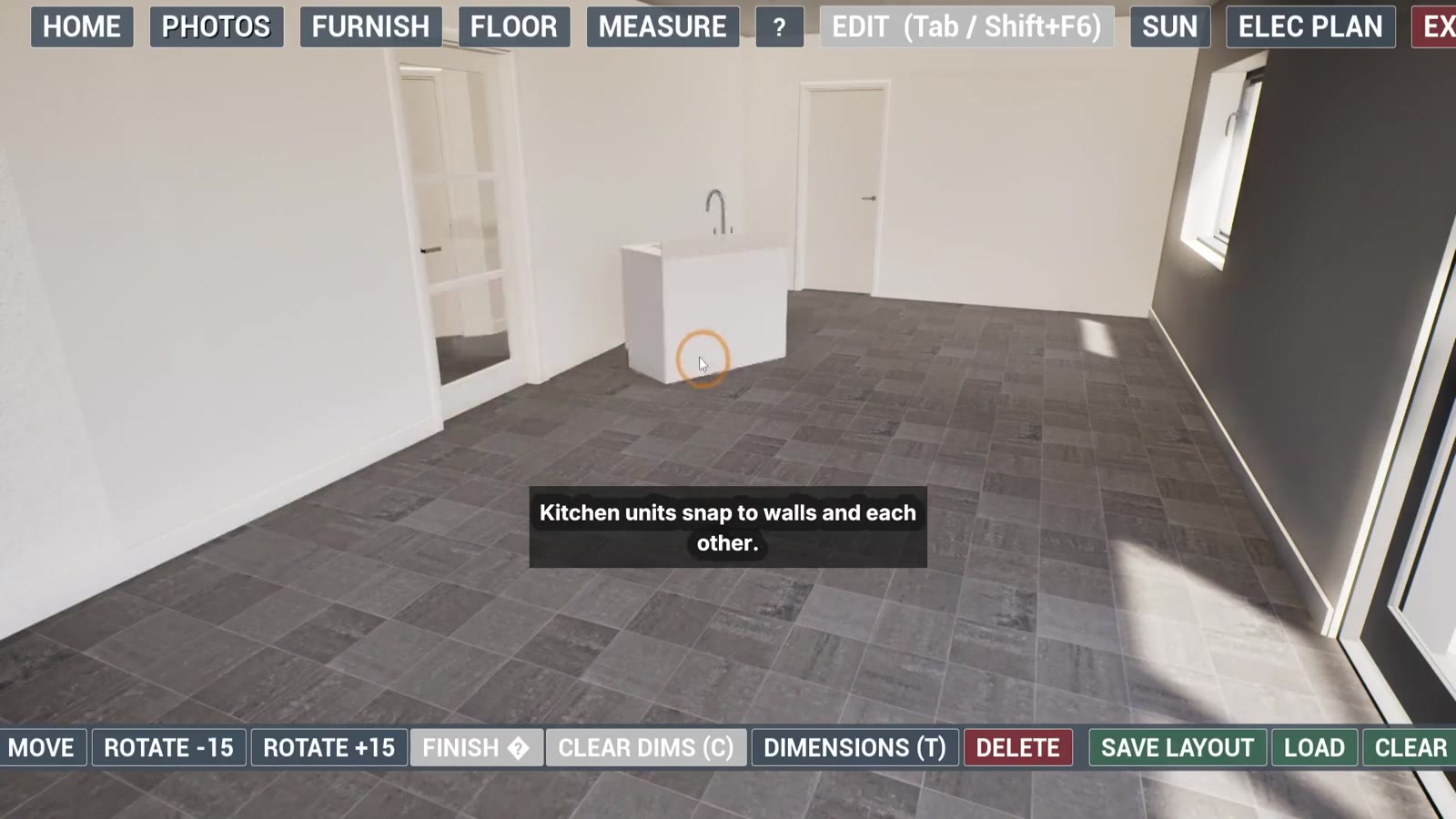
Kitchen units snap to the walls and to each other. Try the layout you have in mind and walk it: the route from fridge to sink to hob, the corners, and the space in front of the units.
4. Are the sockets and switches in the right place?
Once the furniture is in, place sockets, switches and the fuse box. A socket behind the sofa or a switch behind an open door is much easier to see in 3D. See Plan your electrical layout before first fix.
5. Where does the sun fall?
Set a date and move the time slider to see light and shadow in each room and across the garden, since the whole site is walkable. It is a visual check, not a formal daylight assessment, but it shows which rooms and which parts of the garden get morning or evening sun.
6. Are the rooms the size you expect?
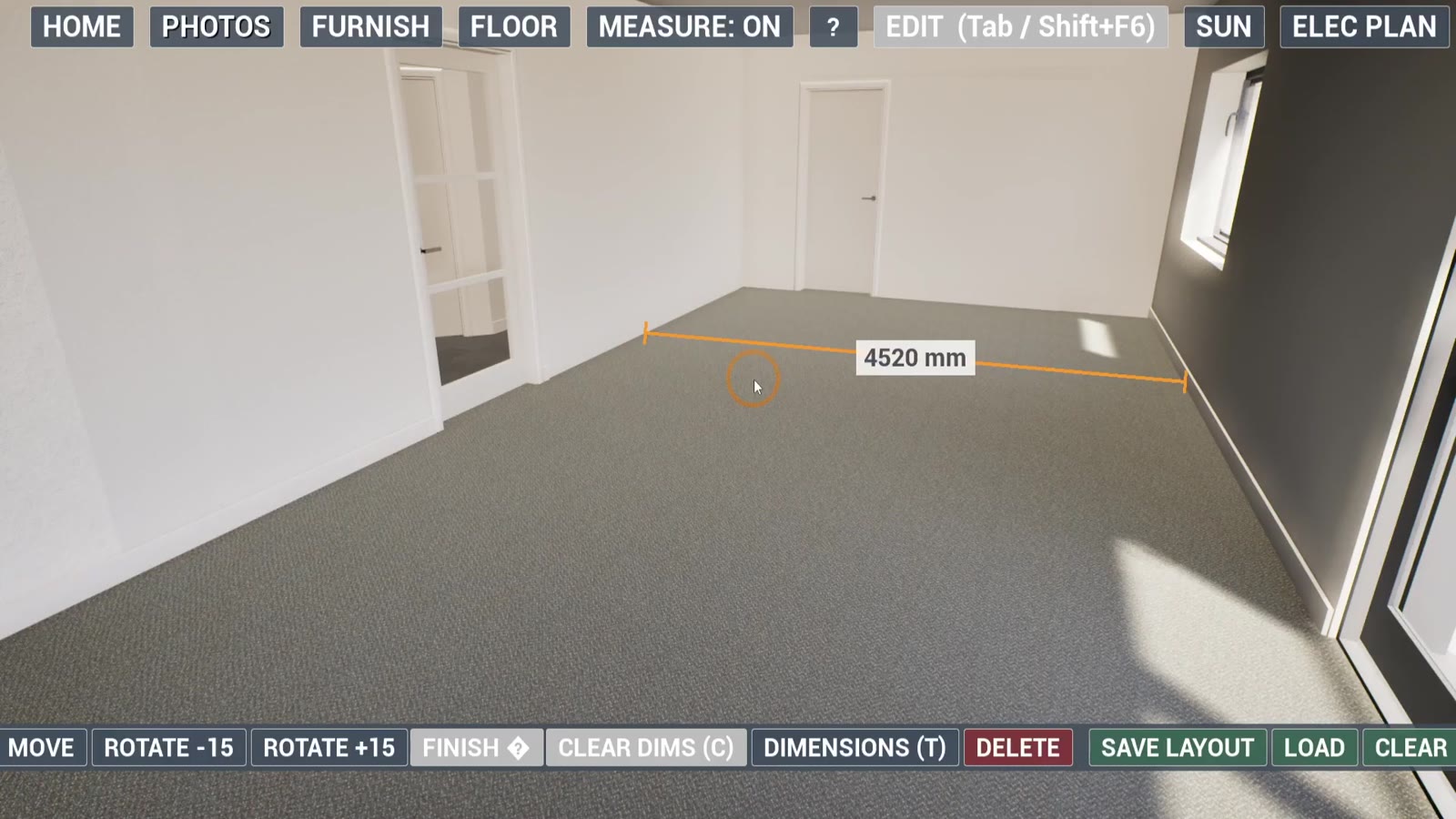
Measure in millimetres: hall widths, the gap between an island and the units, the space for a bed. Numbers you can check beat a guess from a drawing.
What a walkthrough will not catch
- Structural, drainage or building regulation problems. Those stay with your designer and engineer.
- Anything that is not in the plans you send. The model is only as accurate as the drawings.
Walk your plans before you build
Email your plans to tom@plansbytom.com. Contact us and Tom will give a quote for your project.
Frequently asked questions
Can a walkthrough catch mistakes the 2D plans miss?
It can make them easier to see. Walking a room at eye height shows how doors swing, how furniture fits and where light falls, which is hard to judge on a flat plan.
When should I do the walkthrough?
Before the plans are final and before work starts on site, while the plans can still be edited.
Can I measure in the walkthrough?
Yes. The measuring tool reads in millimetres, so you can check gaps, clearances and furniture sizes.
Will it check my design against building regulations?
No. It is a visual check of your plans. Compliance stays with your designer and engineer.